
The agentic researcher - building custom, transparent and extensible workflows with Claude & MCP
Why generic LLM + academic MCP servers might be as good if not better than specalised Academic deep research

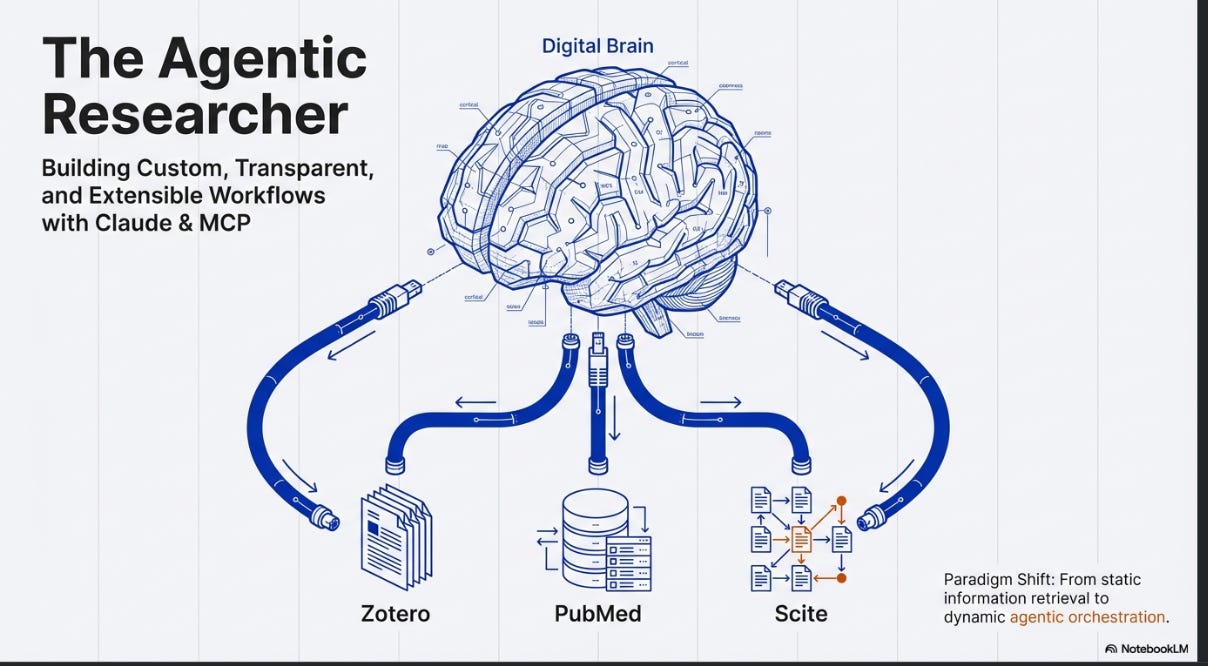
When I last wrote about MCP servers in the context of the launch of Wiley’s AI Gateway and the PubMed MCP server/connector you could add to Claude.ai, I received a few private messages from librarians and researchers who shared how much more they had gone beyond just connecting to pre-built MCP servers.
Most of them were using Claude Code or Claude Code Desktop, which they used to:
a) vibe-code MCP servers that did not exist or were not offered, and run the servers locally
b) combine MCP servers and other tools with Claude Skills for powerful workflows
Since then, I started exploring the use of Claude Code and Claude Code Desktop myself, and while I am still a rank novice in this area, I can see why people are so excited by the possibilities.
But before I walk through the practicalities, I want to make the case for why this matters — because it is not just about convenience. It represents an almost fundamentally different model for how academic search and workflows in general can work.
In my recent post on how “agentic” current academic deep research tools really are, I found that while specialised deep research tools like Consensus Deep Search and Undermind, Elicit , etc. , perform impressively within their designed parameters, but their agency is ultimately bounded by rigid, pre-programmed workflows. They execute complex, multi-step loops rapidly and cheaply, but the moment a research query steps outside those hardcoded tracks — requiring a novel combination of tools and capabilities such as filters, unconventional citation tree traversal, or data extraction the vendor did not anticipate — these fixed pathways become bottlenecks.
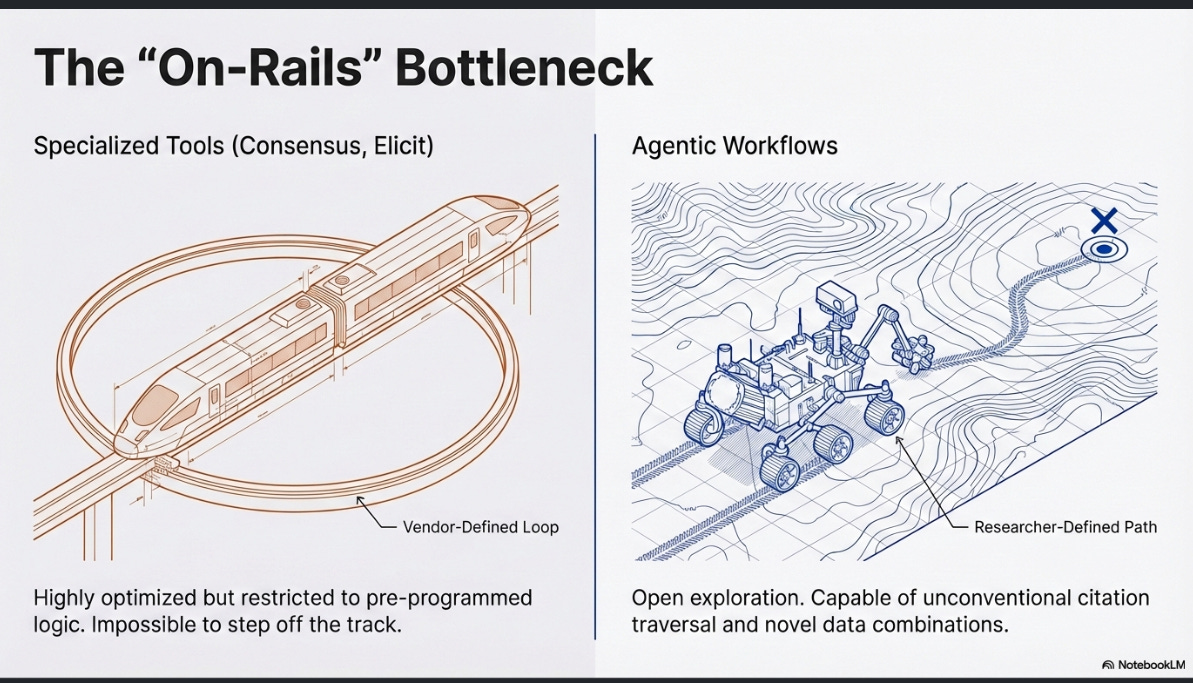
This highlights a fundamental tension: as frontier models become increasingly capable of advanced reasoning, forcing them through restrictive, “on-rails” product interfaces artificially caps their utility. These tools treat information retrieval as a static funnel rather than a dynamic, iterative process, leaving the researcher constrained by the vendor’s imagination.
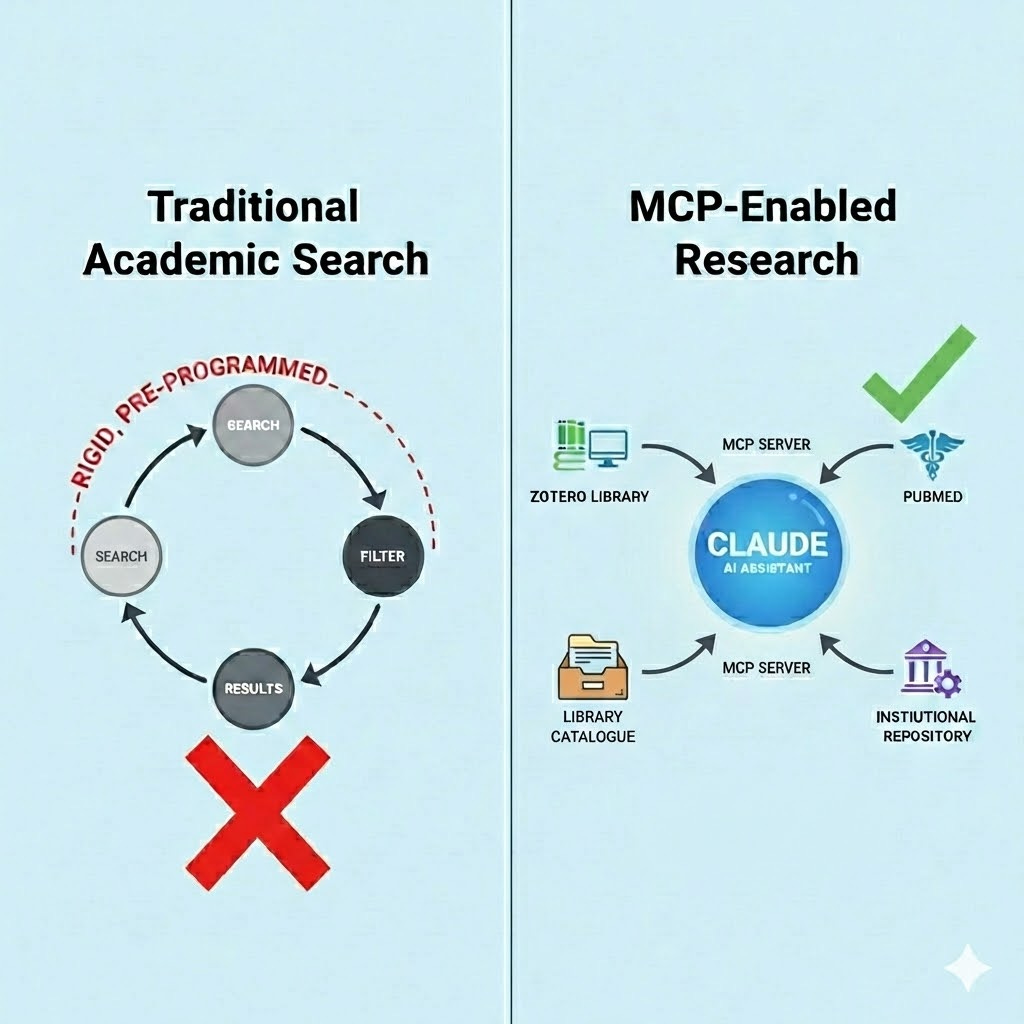
LLMs connected with MCP servers change this. Instead of a vendor-defined loop, it allows researchers to build custom, transparent, and extensible research environments. The AI is not limited to searching a single closed index.
For example, it can reach into a local Zotero library, query live institutional repositories, chain outputs from one search system into another, and execute code to analyse data on the fly.
The agent moves from being a search tool to something closer to a real research assistant that can have autonomy to “decide” which tools to use and in which order and/or an assistant that the researcher can instruct via Claude Skills.
The rest of this post lays out the evidence that this is not just a theoretical advantage, walks through how to actually set it up, and addresses the current limitations of such a setup and implications for librarians.
Can generic LLMs actually compete on retrieval?
The obvious objection is: surely purpose-built academic search tools such as Elicit.com, Undermind.ai, Consensus retrieve better results than a general-purpose LLMs? The evidence is currently more mixed than you might expect.
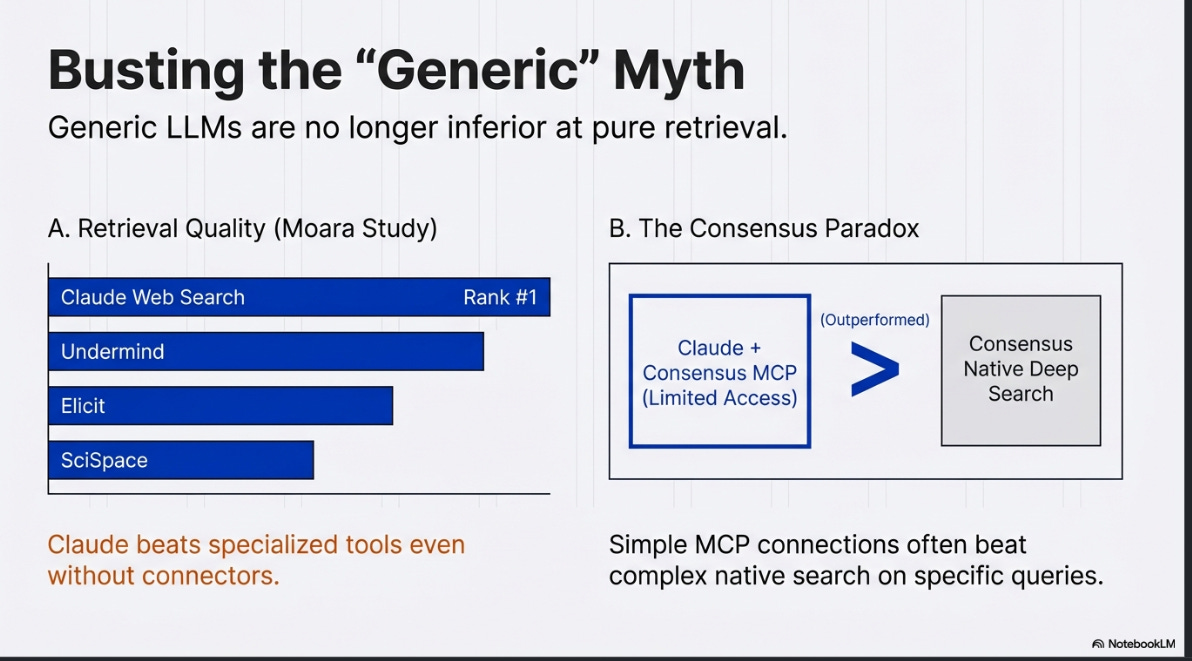
A video study by Moara claimed Claude's web search (with no special academic connectors) beat Undermind, Elicit, SciSpace, Consensus, and Scholar Labs on retrieval quality.
This study has significant methodological problems: it tested only a single query and looked only at the top 10 results, the evaluation relied mostly on LLM-as-judge (ChatGPT, Gemini and Claude may be biased towards output from fellow LLMs despite attempts to anonymize), and the query may have favoured grey literature that specialised tools cannot access.
That said, the human evaluators agreed with the ranking, and it is notable that Undermind — which I generally regard as among the strongest specialised tools — came second (See also earlier study by Moara that ranked Undermind first among all specialised tools).
I have found similar patterns in my own testing, though I stress these are illustrative examples rather than systematic evaluations. When asked whether OpenAlex can be used alone for systematic reviews, Undermind found two relevant items. Claude (without any specialised MCP server) found the same two, plus a third relevant grey literature report that was not in Semantic Scholar’s index.
Most striking was how Consensus Deep Search failed to find any relevant papers on this query, while Claude even with the Consensus MCP server (which is limited to just the top 3 results) did find relevant papers. This is a peculiar case where Consensus’s deep search mode, spending far more time and compute, produced worse results than its own index queried through a basic MCP connection.
A more systematic comparison comes from a librarian who tested 11 queries across multiple tools. Using a scoring rubric, Claude (again without any special MCP servers) ended up on top ahead of Consensus, Elicit, and Primo Research Assistant, though not by a statistically significant margin.

Part of the reason for this is that some queries were best answered by non-journal content — monographs and grey literature — where Claude and Primo (which draws on broader library collections) had a structural advantage over tools that rely primarily on OpenAlex or Semantic Scholar.
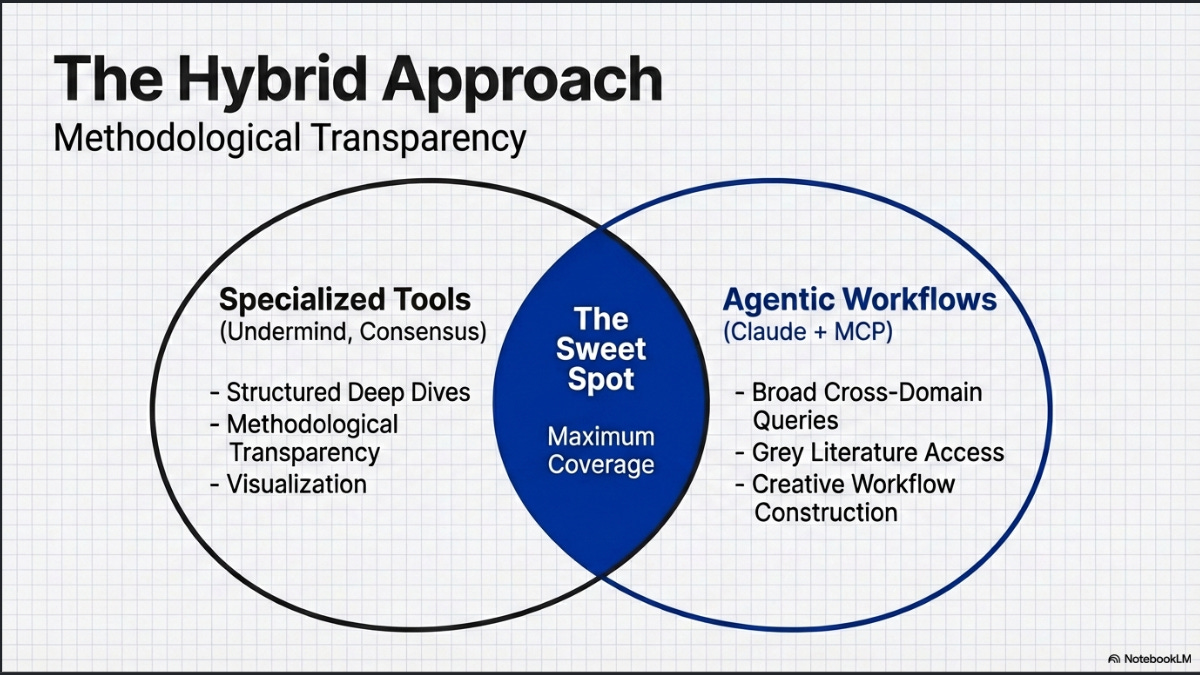
None of this constitutes definitive evidence that generic LLMs are superior. The sample sizes are small, the methodologies vary, and important details are often unclear (for instance, it is not always specified whether deep search modes were used for the specialised tools, or whether Claude was running in its more powerful “Research” mode). What the evidence does suggest is that generic LLMs are not clearly worse at finding relevant sources, particularly for queries that benefit from content outside journal & preprint article indexes.
To be clear, I am referring to the ability to find relevant sources. Specialised tools offer other affordances not offered by using generic LLMs. This includes structured output with academic references, useful visualizations and methodological transparency (sometimes). But on raw retrieval, the gap has narrowed considerably.
This is why I now recommend users combine a specialised academic deep research tool (such as Undermind, Consensus, or Elicit in their deep modes) with a generic deep research tool (such as OpenAI or Gemini Deep Research, or Claude with Research mode) for greater coverage.
This is particularly important the more humanities-oriented or less journal-centric your subject area is, as the specialised tools tend to rely on OpenAlex and Semantic Scholar, which have weaker coverage in these areas.
What are MCP servers and why do they matter here?
If generic LLMs are already competitive at retrieval , the obvious next question is: how do you make this reliable rather than hit-or-miss?
If indeed, general web-backed LLM search can match specialized tools on top-N relevance for some query types (especially those requiring grey literature or books), could we do even better with access to specialised academic content?
The problem with relying on general web search for academic work is that even when explicitly instructed to find peer-reviewed sources, LLMs will still sometimes cite blog posts, news articles, and other non-academic content. They draw from the open web and do not always distinguish between a journal article and a well-written blog post on the same topic. Giving these models a direct connection to academic indexes, rather than hoping they stumble on the right content through web search, is what turns an occasionally useful capability into a dependable one.
This is exactly what the Model Context Protocol enables. MCP is an open standard, supported to some extent by all three major AI labs (Anthropic, OpenAI, and Google), that allows LLMs to connect to external tools and data sources. Give a model direct access to PubMed, Scopus, or your institutional repository, and it no longer has to guess whether what it found on the web is actually a scholarly source.
And if you can give it access to paywalled full text via publisher MCP servers, such as Wiley’s Gateway AI server, you could potentially give it an advantage over specialised tools like Undermind that rely only on open corpora like Semantic Scholar.
There is already considerable buzz around setting up MCP servers for library-specific resources — the library catalogue, discovery services, institutional repositories, and more. This CNI talk is an excellent example of what leading libraries like Northeastern are currently doing in this space.
The reasoning is straightforward. Whilst librarians and some power users reach for specialised deep research tools like Elicit, Undermind, Consensus, and Scite Assistant, most students and researchers spend the bulk of their time in ChatGPT, Gemini, or Claude. So why not meet them where they are?
MCP servers come in two varieties: remote servers, which are hosted by someone else and you simply point your LLM interface to them; and local servers, which you run on your own machine.
A necessary warning : connecting your LLM to MCP servers carries risks. The operators of remote MCP servers can see your queries, and there are security risks including prompt injection. Running local servers from unverified GitHub repositories carries its own risks (since it involves running code on your machine!), though it does improve privacy since queries stay on your machine.
Setting up remote MCP servers
Remote MCP servers are the simplest to get started with. In Claude.ai, you can find Consensus, PubMed, and Scholar Gateway listed as connectors that are available that can be added directly. Scite.ai has to be manually added.
Support for MCP servers is more complicated with ChatGPT.com. While ChatGPT recently started supporting MCP servers through its apps system, it does not yet list any academic search connectors in its store at the time of writing. You can work around this, though it requires a paid account and a somewhat hacky process:
Go to Settings, then Apps, then Advanced settings, and enable Developer mode.
Open ChatGPT Apps settings and click “Create app” next to Advanced settings.
Create an app for your remote MCP server using the server URL.
The MCP server URLs that work without any authentication are:
Consensus:
https://mcp.consensus.app/mcp(documentation)PubMed:
https://pubmed.mcp.claude.com/mcp(hosted by Anthropic as a connector for Claude, this is the same connector I tested in my earlier blog post)Scite.ai:
https://api.scite.ai/mcp(documentation)
Edit : As of 28 Feb, Scite is now listed in ChatGPT store, so you no longer need to turn on developer mode. Scispace.com has followed suit as well.
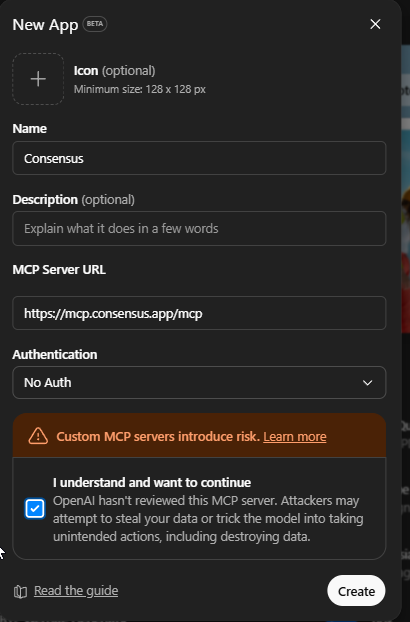
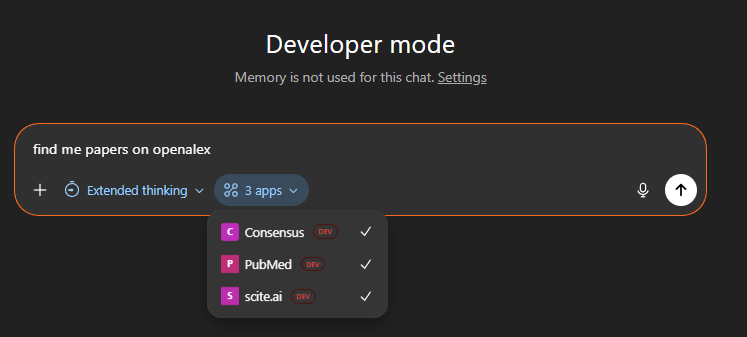
Once set up, you can select these tools for use in your conversations or let ChatGPT decide when to invoke them.
Below you can see the tool calling and searching Scite.ai
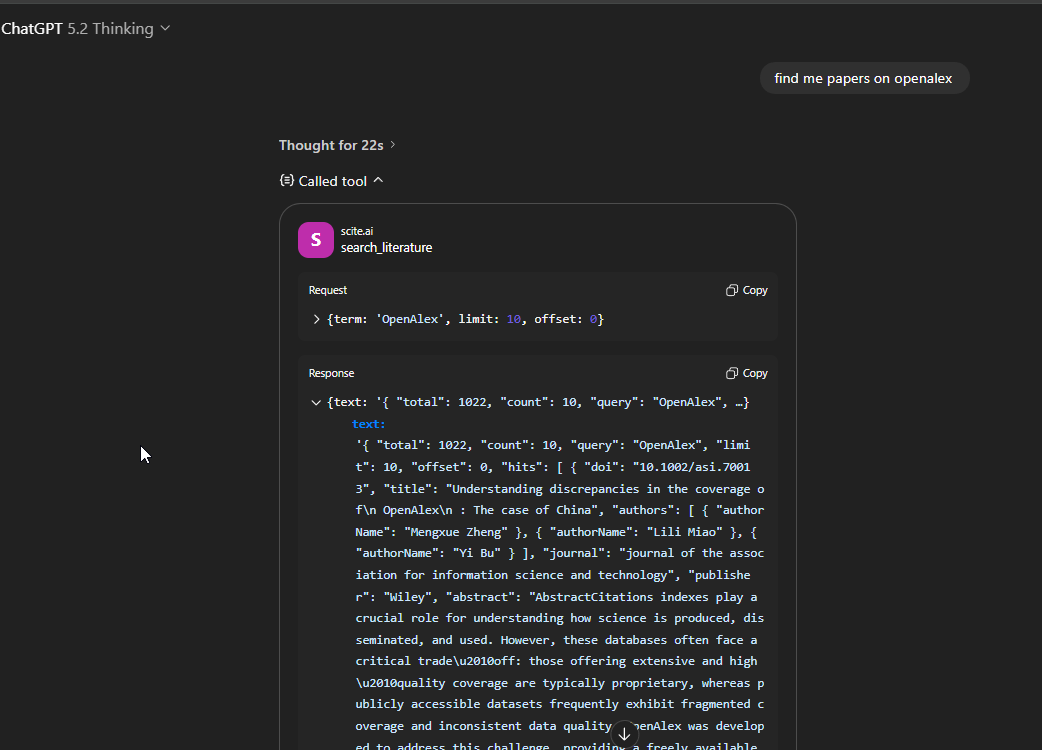
Some limitations to be aware of: the Consensus MCP server returns only the top 3 results out of 20 by default (though you can request for a API key). The Scite MCP server provides access to open access citation data and metadata by default, though they note that institutional subscriptions can unlock additional content. It is worth reading the documentation pages for each server to understand their full capabilities (e.g. search parameters, citation searching capabilities).
Setting up local MCP servers
Remote servers are limited to what is available. Code for running Semantic Scholar or OpenAlex MCP servers exists on GitHub, but nobody hosts these as free remote servers.
And if the MCP server you want does not exist at all, you can attempt to vibe-code one yourself (assuming an API exists for the source you want to connect to) and run it locally.
Warning : Again there are risks in running unverified MCP server code you find on GitHub and the ones you vibe code might have security vulnerabilities that can be exploited with prompt injection.
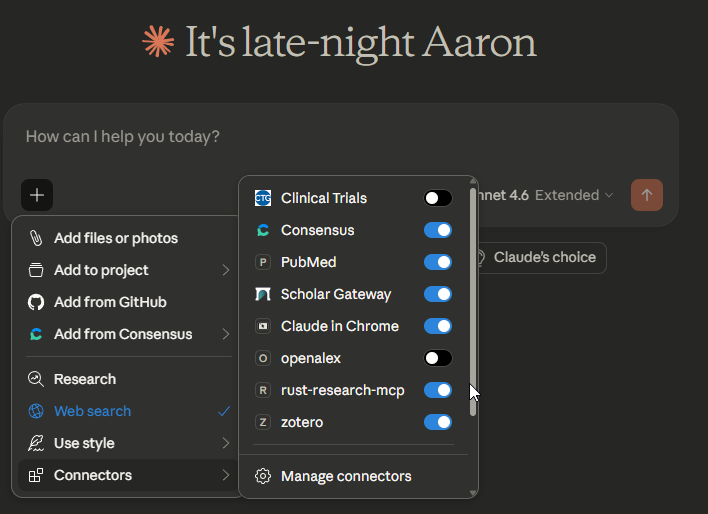
Many early adopters are using Claude Code , Claude Desktop or Claude Cowork for this, both of which support local MCP servers. In my own Claude Desktop setup, I have configured and added several local MCP servers (with code I found on GitHub) alongside the remote ones:
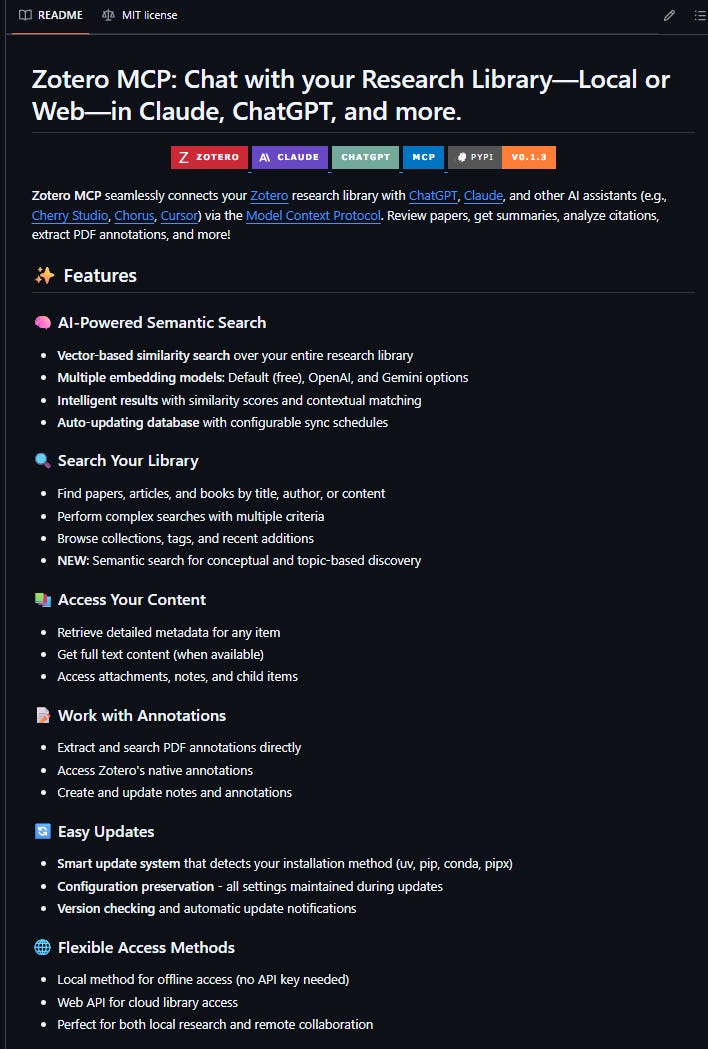
A Zotero MCP server that connects Claude to my local reference library
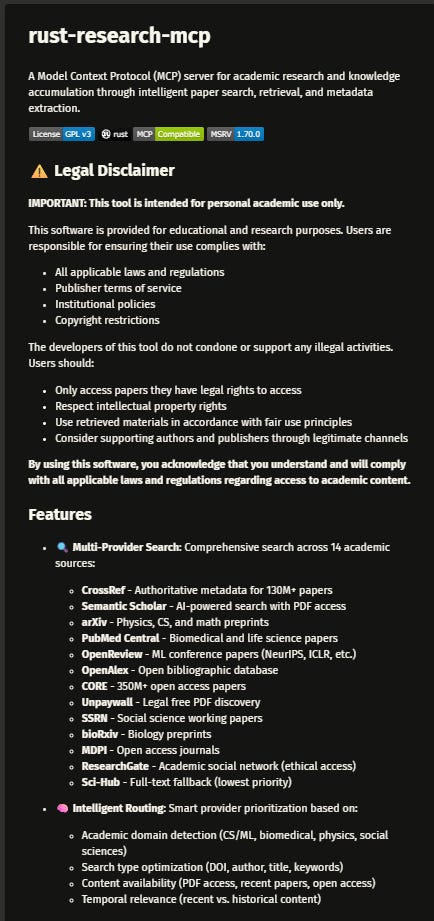
A Rust Research MCP server that connects to multiple academic search systems including Semantic Scholar, OpenAlex, Crossref etc.
A custom OpenAlex MCP server that I had Claude Opus 4.6 vibe-code using the OpenAlex API as an experiment.
If you are not comfortable with Python or coding in general, the installation instructions for these servers may look intimidating. But you can use Claude Code itself and ask it to install these packages for you!
The real advantage: combining tools through Skills
The retrieval comparisons above are interesting, but they miss the more fundamental point. The real advantage of the MCP approach is not that it searches better — it is that it enables workflows that no single vendor anticipated.
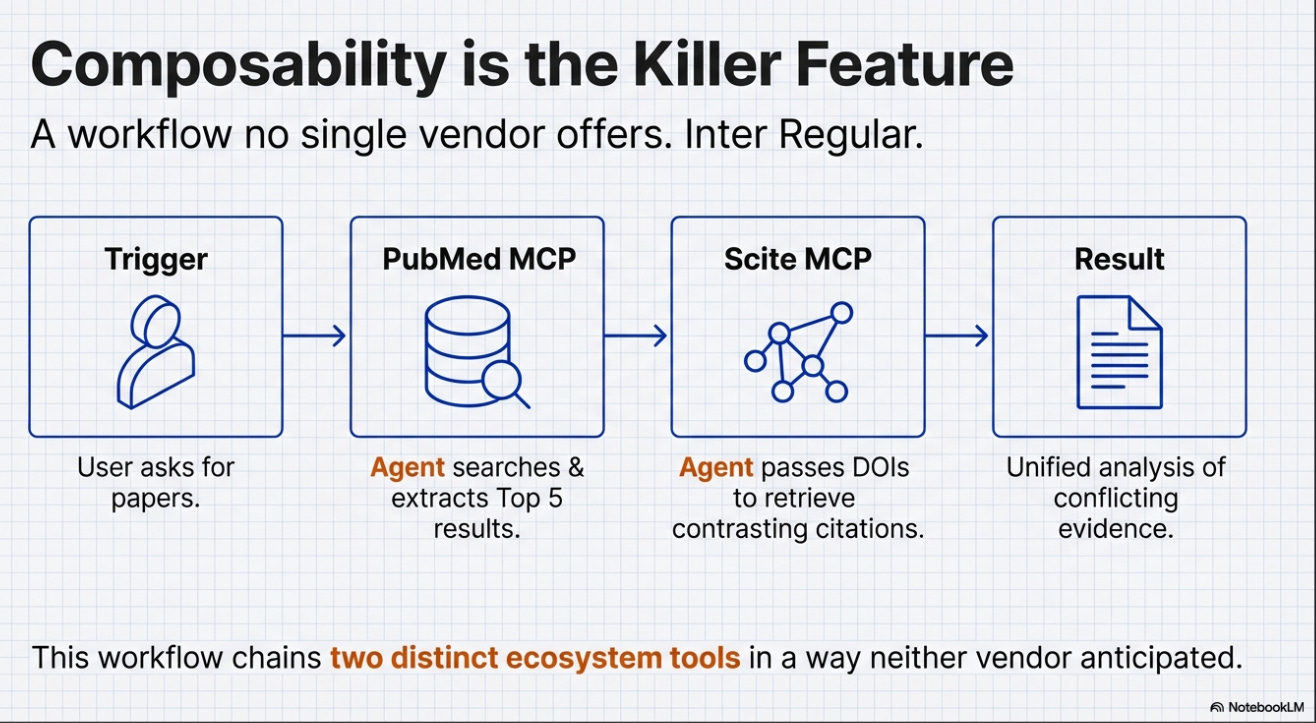
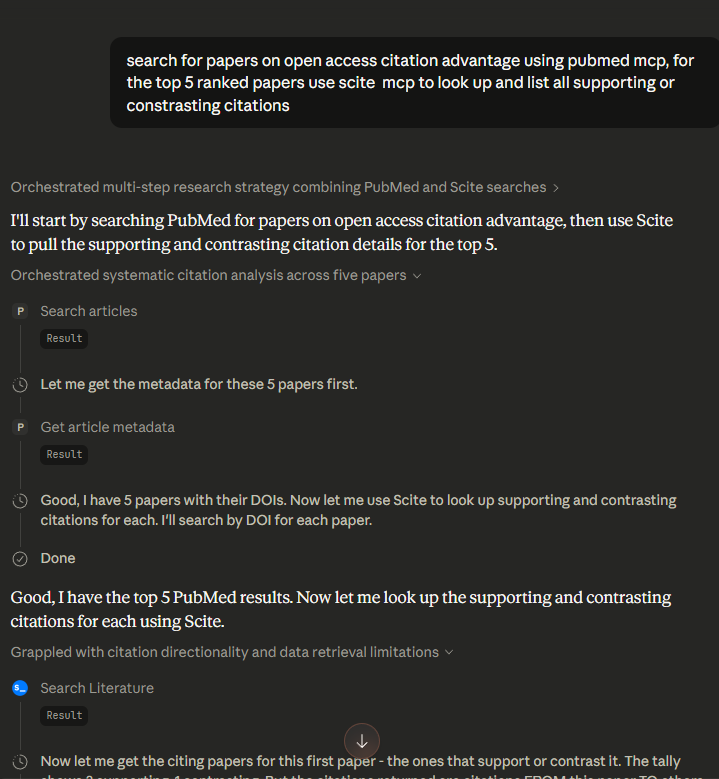
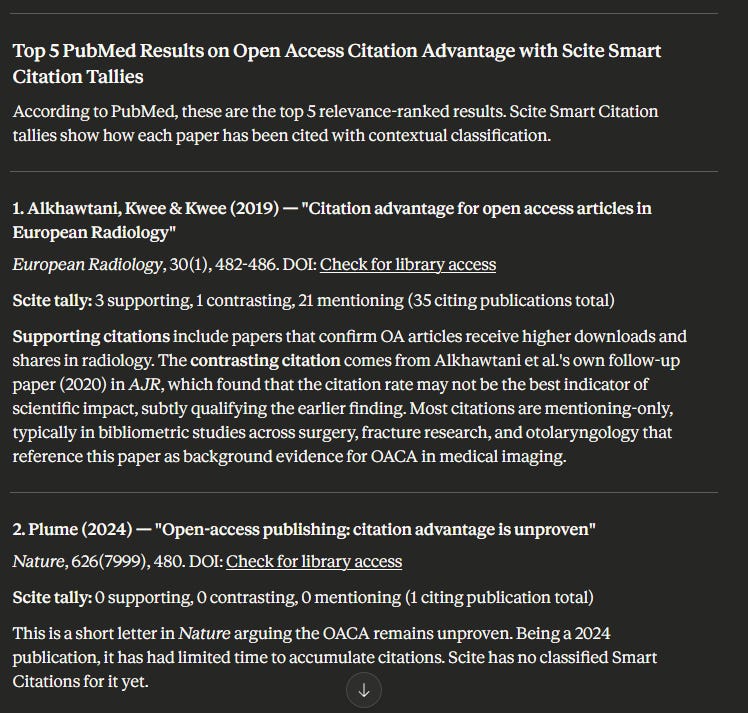
Here is a simple but concrete example: I asked Claude to search PubMed for papers on a topic, take the top 5 ranked results, and then use the Scite MCP server to retrieve mentioning and contrasting citations for each.
Claude successfully chained or “orchestrated” both tools together to produce exactly what I wanted1.
This is a trivial example and you get more fancy tasks where no single existing tool offers the specific workflow you want. With Claude+MCP, I did not need to wait for a vendor to build it.
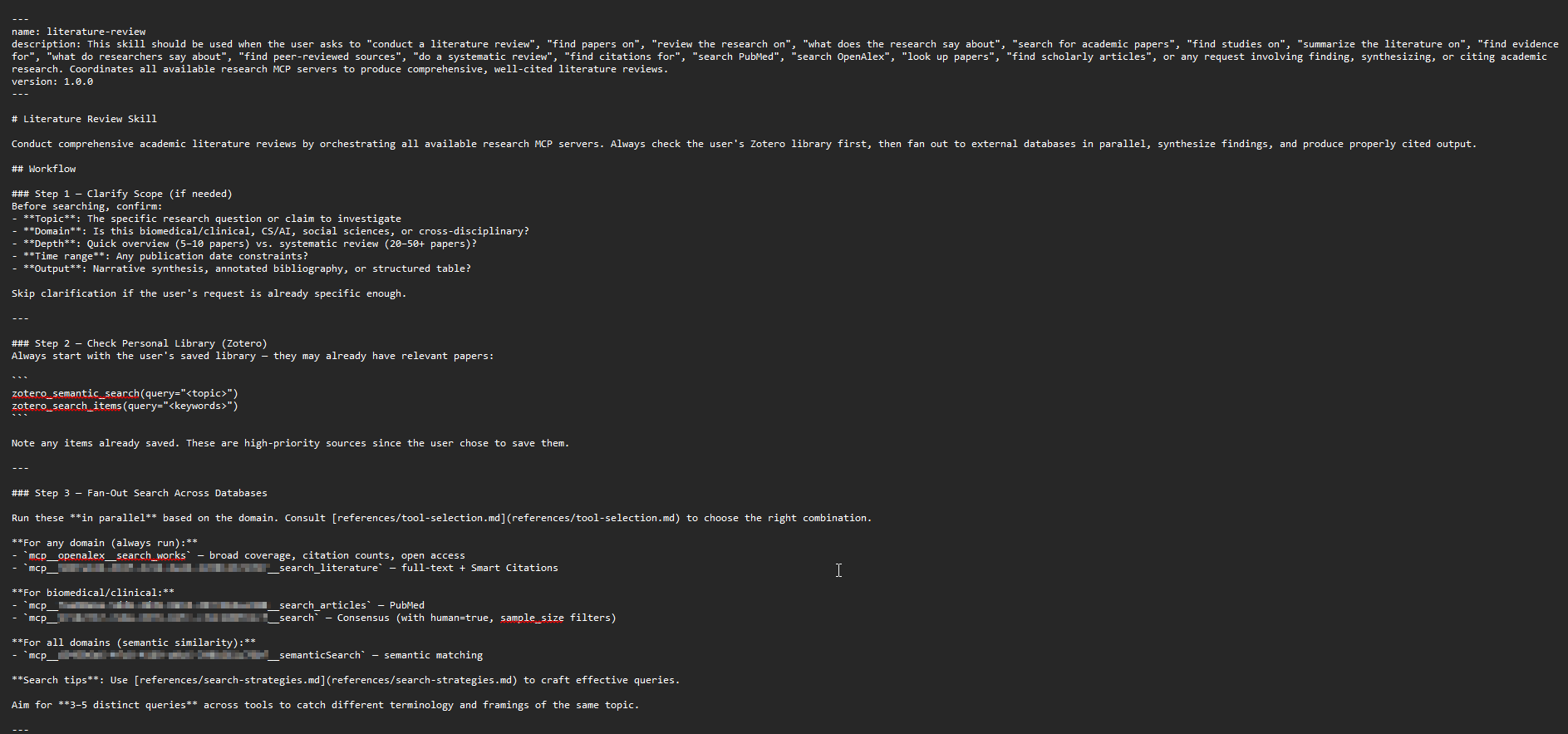
This composability extends further through Claude Skills, which are essentially predetermined prompts that Claude uses when triggered.
For example, you can define a “literature review” skill that searches multiple MCP servers (OpenAlex, Semantic Scholar, general web and your Zotero library), combines the results and writes a synthesis.
Skills are written in markdown and defined in natural language, so creating and modifying them requires no coding ability. Claude can even guide you through creating a skill by asking what you want it to do.
The remaining steps should be self-explanatory
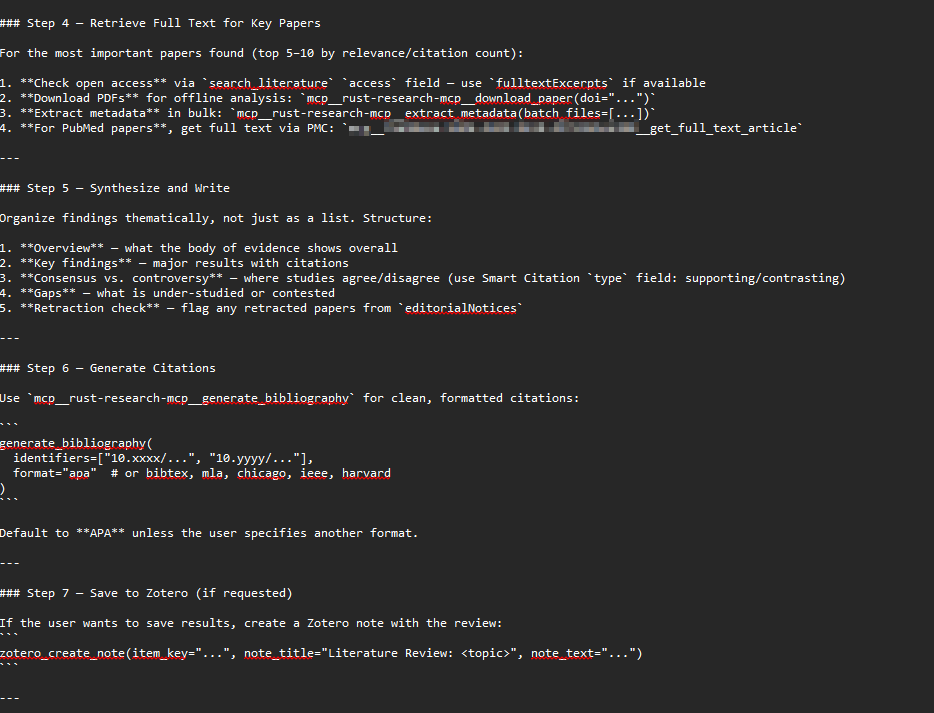
You could easily modify such a skill to only show results found by search that is not already in your Zotero library, or to create an entirely different search workflow. For a more advanced example, see Alfred Wallace’s skill design, which is inspired by work on guiding agentic retrievers on when to search broadly versus when to explore locally. More advanced usage can involve adding resources and scripts for the skill to use.
The key insight is that everything is defined in natural language, so it is easy to change. The researcher defines the workflow, not the vendor.
Limitations and open questions
I’m only scratching the surface here. I’ve been hearing about the incredible workflows researchers and librarians are building by combining these tools. In essence, the process is now this simple:
First: If you can access a source via API, you can ‘vibe code’ an MCP server to talk to it.
Second: You create a skill in natural language to trigger that server and mash it up with anything else.
Third: There is no third step.
In theory, you can set up a skill or flow to do
a cochrane type systematic review flow that involving coming up with inclusion criteria, searching and downloading from multiple sources, use the LLM to Screen etc.
searching for papers to do bibliometric analysis using a tool like pybibx,
comparison of the citations made to 2 different papers in the same area
some gap analysis etc.
The only academic related platform that can match the capabilities of this setup is SciSpace Agents that allows you to hook and connect a huge variety of premade tools.
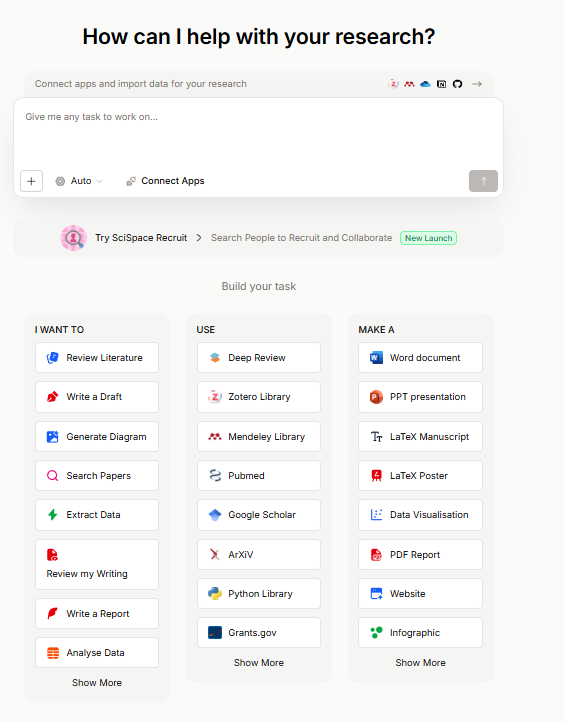
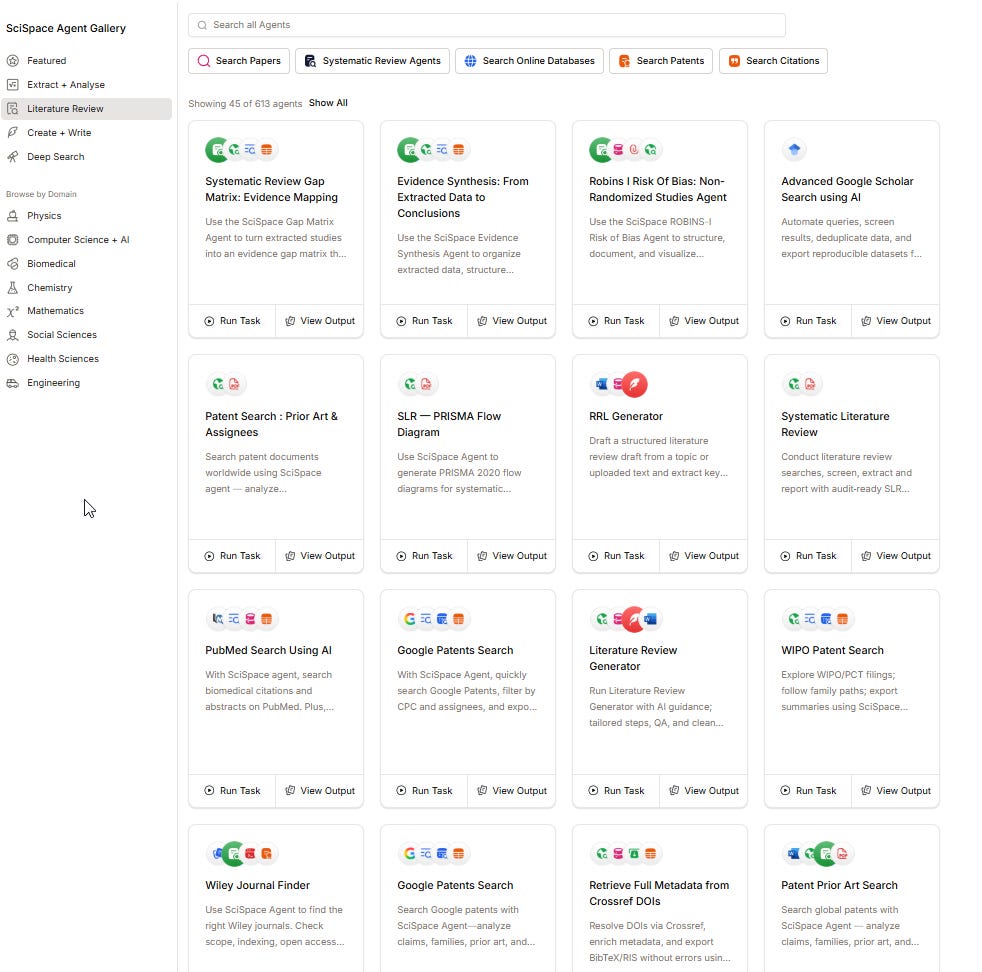
SciSpace Agents as an alternative is far less daunting technically to use but as you can expect, it is costly.
Still there are limitations
The technical barrier
Setting up remote MCP servers is straightforward. Configuring local servers, vibe-coding custom ones, writing effective Skills, and ensuring secure operations requires a level of technical comfort that most researchers and many librarians do not currently have. This is not a minor caveat — it is a significant barrier to adoption.
Privacy and security
I flagged this above but it deserves emphasis. For researchers working on sensitive topics — anything from commercial R&D to clinical research involving patient data — queries sent to remote MCP servers are visible to their operators. This is not a theoretical concern. Libraries routinely fight to protect patron privacy, and recommending MCP server setups without clearly communicating this risk would be irresponsible.
Reproducibility and interpretability
Every user’s MCP environment is different — different servers installed, different Skills configured, different model versions. If I run a literature search through my Claude Desktop setup and you run the same query through yours, we will likely get different results even with the same query.
Ironically, the fixed workflows of specialised tools, which I criticised above for limiting flexibility, do at least provide a more consistent and documentable search process. There is a genuine tension here: the flexibility that makes the MCP approach powerful is the same property that makes it difficult to reproduce. Perhaps future practice would require submitting your entire Claude Code setup as part of a systematic review’s methodology, but we are far from established norms on this.
Cost
Claude Code and Claude Desktop with heavy tool use consume tokens rapidly. For a library or research group considering whether to invest in configuring MCP environments versus subscribing to Undermind or Consensus, the cost comparison matters. Specialised tools offer flat-rate subscriptions with predictable costs; the MCP approach scales with usage in ways that can be difficult to forecast.
However with techniques like clever use of Claude Skills to load only necessary context instead of all MCP servers, Server-side context compaction for managing long conversations that approach context window limits & code execution where LLMs write code to call tools instead of direct tool calls, this problem may be reduced.
Implications for libraries
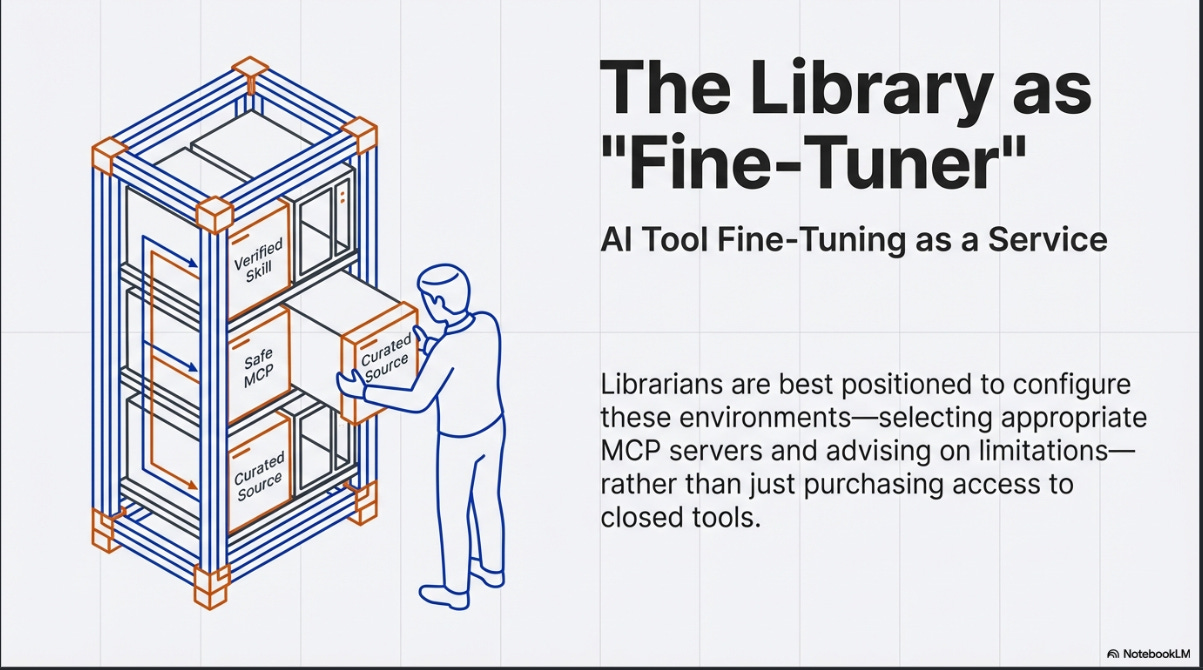
Despite these limitations, the direction of travel seems clear, and it has significant implications for libraries.
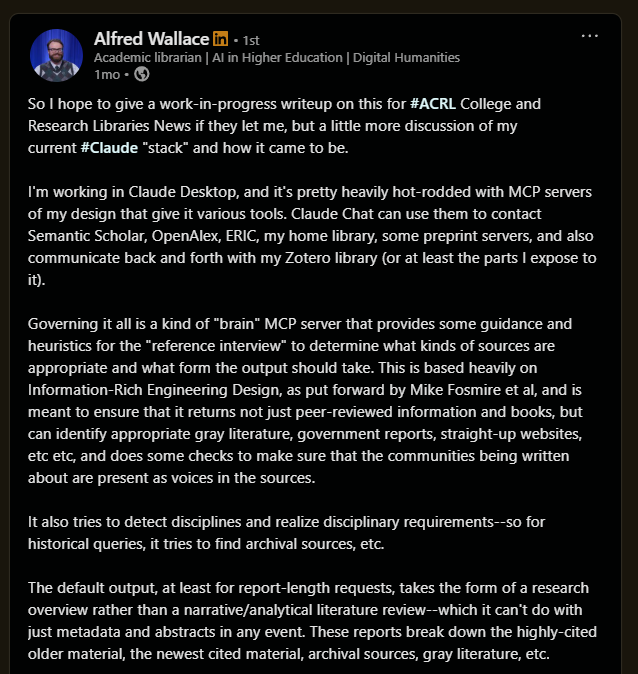
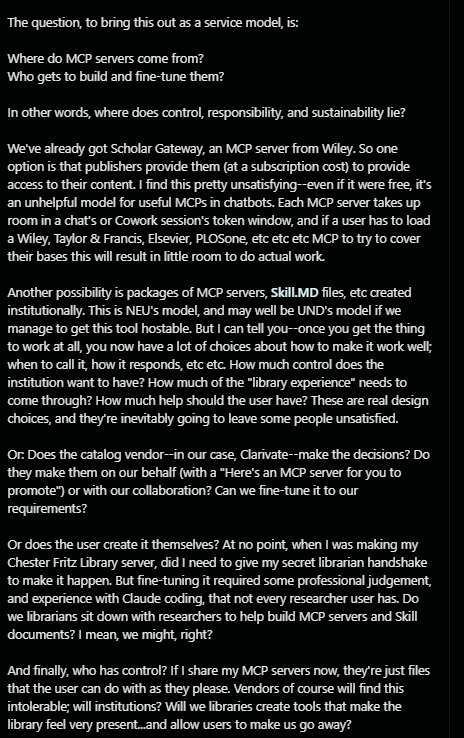
He has raised the provocative idea of “AI tool fine-tuning as a service” from libraries. The concept is that librarians, with their understanding of information retrieval principles and research methodology, are well-positioned to configure these environments for researchers — selecting appropriate MCP servers, writing effective Skills, and advising on the limitations of different configurations.
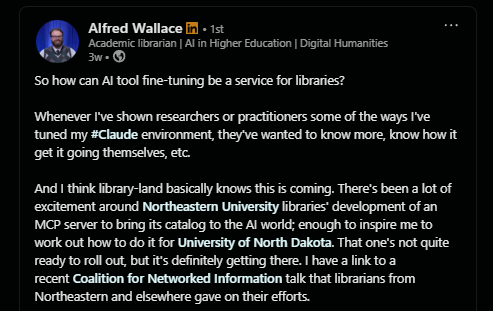
In particular, he asks very deep and insightful questions about the setting up, maintenance and control of MCP servers.
There is also institutional-level activity worth watching. Clarivate's Nexus project, while easy to dismiss as merely a browser extension comparable to LibKey Nomad or Lean Library, appears to be a more ambitious play.
Their vision seems to be for Nexus to serve as an aggregation point for library-related MCP servers, not just Clarivate's own. For example, Springshare's LibGuides was mentioned at CNI as an example of other vendor MCPs that could be integrated.
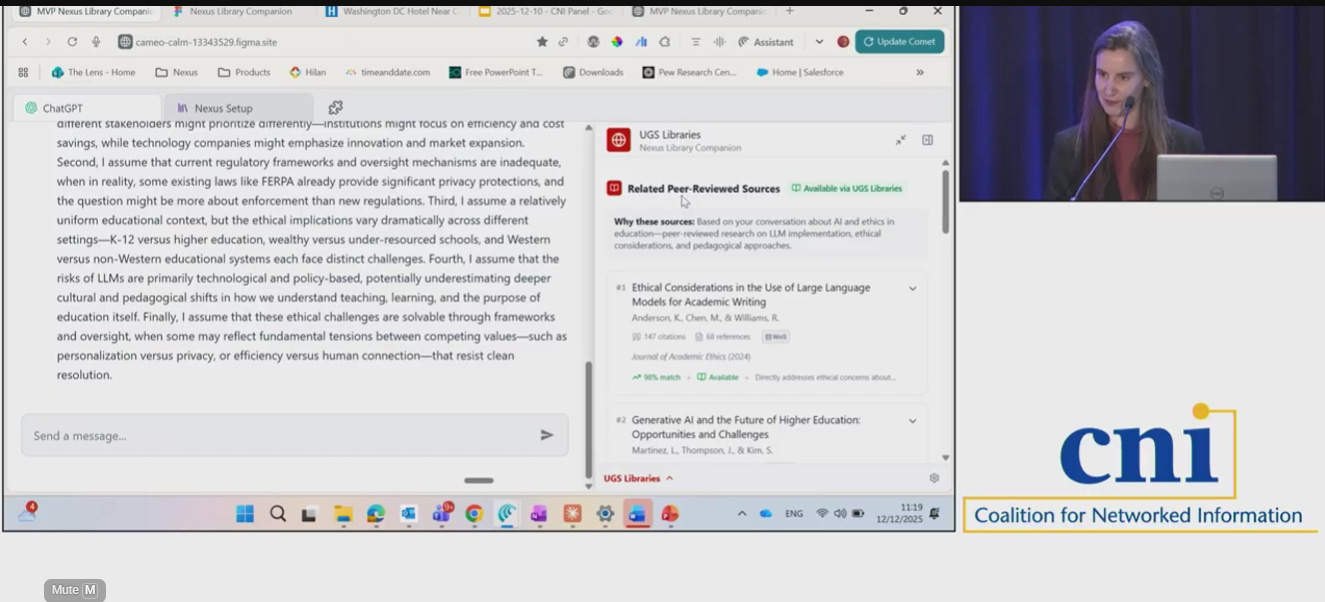
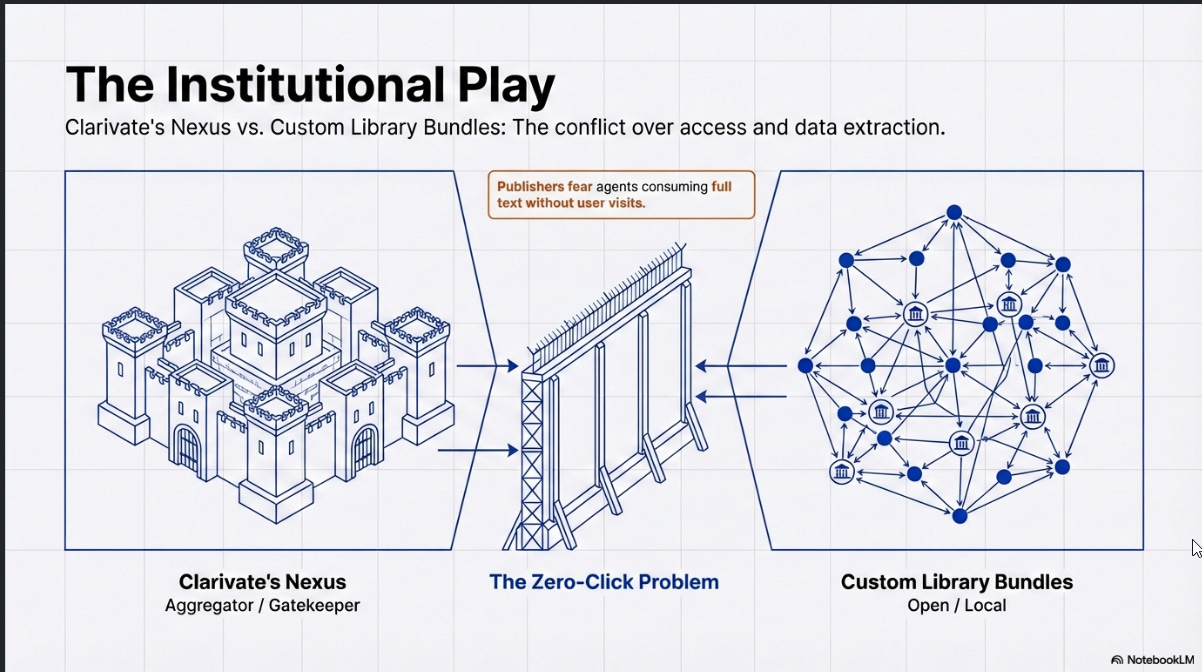
This is a clever and strategic role that Clarivate wants to play, as an an intermediary/gatekeeping role, though it’s unclear if other vendors would allow such a move. This could also compete with a model where libraries assemble their own bundles of Skills and MCP servers.
The question of full-text access also deserves attention. Alfred suggests a simple approach: configure the LLM's instructions to prepend a LibKey prefix to any DOI it retrieves, so that links eventually resolve through the library's access infrastructure. This works reasonably well, with one notable issue: LibKey does not handle non-Crossref DOIs, and the most common non-Crossref DOIs tend to be arXiv papers (which use DataCite DOIs) that are freely accessible anyway. This can confuse users. You can prompt the LLM to handle these exceptions, but it consumes tokens for marginal benefit.
Better solutions might start to emerge. e.g LibKey itself is reportedly launching an MCP server, and protocols like GetFTR have been positioning themselves as a way for AI agents to access full text through their own MCP servers.
The issue here I suspect isn’t technology but business model and usage tracking. Since the rise of chatgpt, publishers have been worried about what is now called “zero-click search” leading to “zero-click results”, will they really allow agentic LLMs to so easily consume full text?
Where this is heading
The general trajectory of frontier LLMs is towards increasingly capable agentic search behaviour. BrowseComp, the most well-known benchmark for agentic web search, has seen top models (Claude and Gemini) improve from barely over 50% in April 2025 to over 80%2 now, in less than a year.
OpenAI has tried building app ecosystems multiple times — ChatGPT plugins in 2023, CustomGPTs, and now apps — and the first two attempts largely gained little traction. The difference this time is that MCP is not an OpenAI-specific implementation but an open standard supported across all three major AI labs.
For academic search specifically, I think the practical recommendation is clear: use both specialised tools and general LLMs with academic MCP connections. The specialised tools offer structured workflows and purpose-built features for specific research tasks. The general LLMs with MCP offer flexibility, broader content coverage, and the ability to create custom workflows. They complement rather than replace each other.
The deeper question — whether the future of research tooling lies in polished, vendor-defined products or in researcher-configured composable environments — remains open. My sense is that we are heading towards a middle ground: vendor tools that expose MCP interfaces, allowing them to be composed in ways the vendors did not anticipate, combined with institutional configurations (possibly maintained by libraries) that provide sensible defaults while remaining customisable3.
But that is speculation, and the landscape is moving fast enough that confident predictions seem unwise.
Orchestration of agents can get very complicated, in Claude Code, there is a distinction between “subagents” and “agent teams” where “Subagents only report results back to the main agent and never talk to each other. In agent teams, teammates share a task list, claim work, and communicate directly with each other.”
For example, I just noticed that while Undermind doesn’t offer a MCP server, they do offer APIs which are incorporated to Enterprise “AI Scientist” systems. See this case study. A few days after I wrote this, Elicit.com a leading academic AI search tool also launched their API - saying “Integrate Elicit into your workflow. Call the API from Claude or ChatGPT to get real citations while writing a paper…”
Thanks for the shoutout! This is a fascinating emerging area. Working on my next set of experiments...
So incredibly helpful! Thank you for going deep.